Cross-chain swap
Swap one coin for another across blockchains — no account, every fee shown up front, and the coins never pass through Tradexus.
On this page
#What the swap does
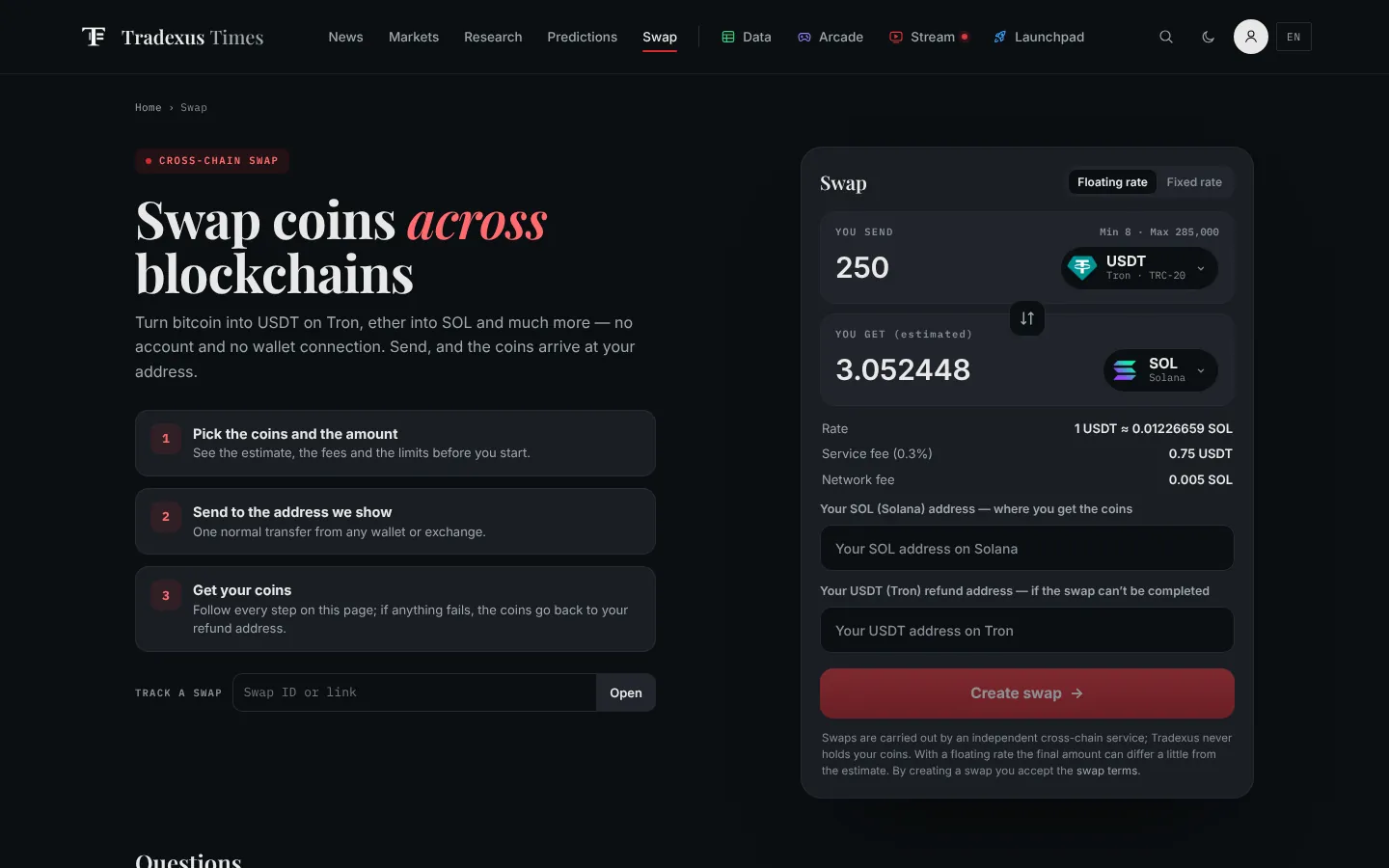
tradexustimes.com/swap exchanges one cryptocurrency for another — including across different blockchains, for example USDT on Tron for SOL on Solana — without an exchange account. The swap is carried out by an independent cross-chain swap service; Tradexus Times shows its quote, creates the order for you and follows it to the end.
If
/swap shows “Coming soon”, swaps are not open yet; the menu and footer show a Swap link only once they are.#Step by step
- Pick the coins — what you send and what you get. Search by name, code or network (“usdt tron”, “usdc base”). Each coin is shown with its network, for example USDT · Tron (TRC-20).
- Type the amount and read the live estimate. It already takes off the service fee and the network fee, both shown, together with the minimum and maximum for that pair.
- Choose the rate — floating (follows the market until your deposit is processed) or fixed (the amount you get is locked when the swap is created). Fixed rate isn’t offered for every coin; when a pair has none, the page switches to floating and says so.
- Enter your receiving address for the coin you get, a refund address for the coin you send, and a memo or tag where that network needs one. Each address is checked against its network’s format.
- Create the swap — you get the exact amount to send, the deposit address with a QR code and a copy button, and the network to use.
- Send exactly that amount on exactly that network, from any wallet or exchange.
- Watch it finish — the page follows the swap by itself, with links to both transactions on a block explorer.
#The states of a swap
| State | What is happening |
|---|---|
| Waiting for deposit | The order exists; send the coins. |
| Deposit received | Your transaction has been seen and is being confirmed. |
| Swapping | The service is exchanging the coins. |
| Sending | The new coins are on their way to your address. |
| Done | Delivered. The page shows the amount received and the transaction link. |
| Identity check | The service asks for a check before it continues; the page shows its link. |
| Refunding / Refunded | The swap can’t be completed; your coins go back to the refund address, less network fees. |
| Expired | No deposit arrived in time. If you sent coins anyway, contact us with the swap ID. |
| Being checked | Something needs a look; the service is on it. Contact us with the swap ID if it stays here. |
#Finding a swap again
- Every swap has its own link and ID. Keep the link: it is the swap’s page.
- Swaps you open are remembered in your browser (
tt-swaps); signed-in members also find them under My swaps on any device. - Track a swap on the page opens one from its ID or link.
#Privacy and security
- No account needed, and no exchange account either.
- Your addresses are not stored by us. They go to the swap service, which needs them to send the coins. On the swap’s page they are shown shortened.
- The service does not see your IP address: our server sends the request.
- We keep a small record per swap — the service’s order number, the coins, amounts, state, time and, if signed in, your account — so the link and My swaps work.
- Swaps can only be created from our own page, and the number of requests is limited.
Check before you send. Coins sent on another network, a different coin, a different amount or without a required memo may not be swapped automatically — they can be delayed or lost. Always copy the address, check the network and send the exact amount shown.
Swaps are a convenience, not investment advice. Some swaps may need an identity check under the service’s rules, and you must be allowed to use such services where you live. The full conditions are in the Cross-chain swaps section of the Terms.